
Online Microsoft Excel training courses and in person in London
Online Microsoft Excel training courses or in person in London gives you Excel training using your own spreadsheets to work together with the teacher on the needs and requirements of your job. Microsoft Excel Training classes is a bespoke training and consulting service. Our Excel experts work alongside you on your real live spreadsheets to improve efficiency and better outcomes.
So many professionals either struggle with Excel or take much longer than need be to complete business critical tasks. With Microsoft Excel Training classes London you can solve a wide range of spreadsheet issues, we offer much more than off the shelf training courses.
If you need Microsoft Excel training courses London or remotely via Teams or Zoom, help with either basic or advanced formulas, functions and calculations, automating Excel reports, chart help, pivot table assistance or even Excel for dummies, then please get in touch.
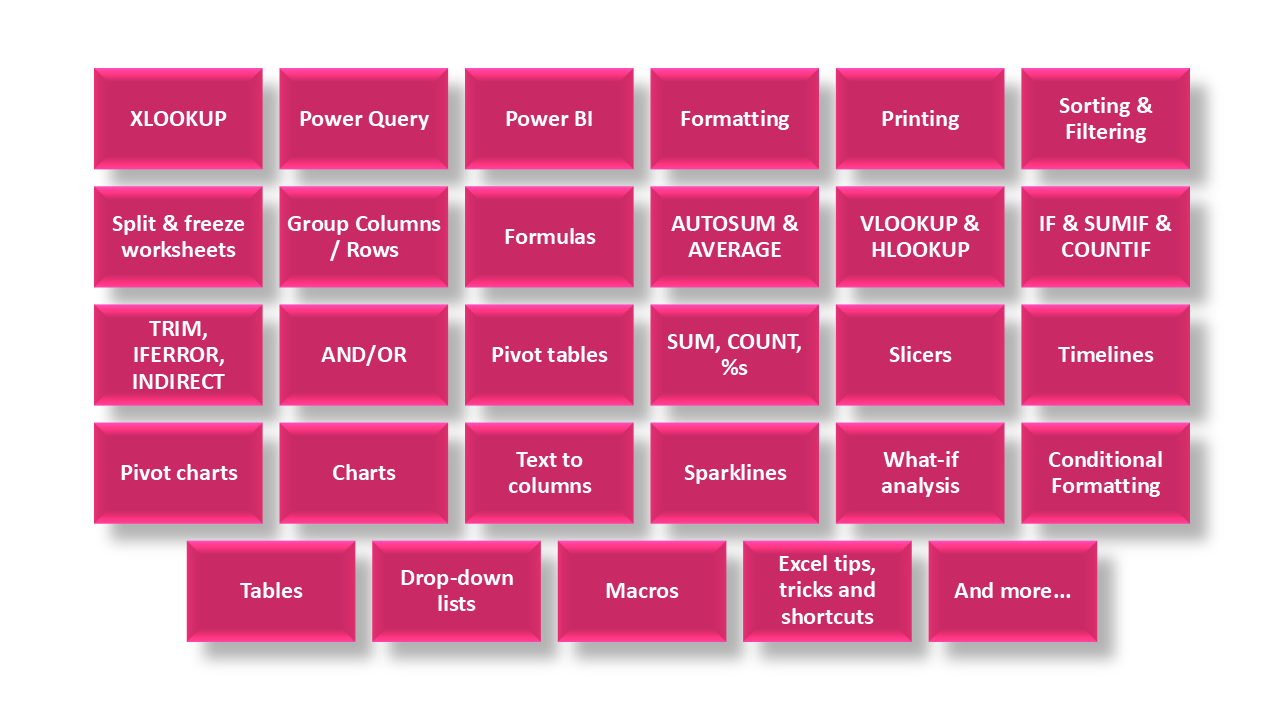
Here are some of the topics we can cover in courses:
Online Excel Spreadsheet Consulting and Training
Sunbird Advisers also provide Excel spreadsheet consulting and training courses in London, across the rest of the UK, and remotely via Microsoft Teams or Zoom.
We support Microsoft Excel and Microsoft Office 365, working with all versions of Excel to help individuals and teams build confidence and improve efficiency when working with spreadsheets.
Learn and Improve Your Excel Skills
Our Excel training and consulting is ideal if you want to improve how you use spreadsheets in your day-to-day work. This includes people who are new to Excel, those looking to refresh their skills, and experienced users who want to work more efficiently.
You may be looking to:
- Learn how to use Microsoft Excel or Office 365
- Work with an Excel coach to improve your own spreadsheets
- Pick up practical Excel tips and techniques
- Get started with Excel if you are unsure where to begin
- Reinforce learning from a previous Excel training course
- Have ongoing access to a trainer for follow-up questions
- Avoid generic training that does not meet your individual needs
Power Query Training
Are you interested in finding out how to use Power Query to streamline tasks and automate your data cleansing. Topics include:
- Importing data into Power Query
- Common transformations including:
- Filtering & Sorting data
- Removing, reordering or splitting columns
- Appending and updating data
- Duplicating queries
Get in touch here for more information on Power Query Training Courses.
Online or in person Tailored Excel Training and Tutoring
We offer individually tailored Excel training courses, delivered on your own computer using real work examples. This practical approach allows you to apply what you learn immediately and makes the training more relevant and effective.
Training can be provided for individuals or teams and is a strong alternative to standard external Excel courses. Session objectives can be discussed and agreed in advance to ensure the training focuses on what matters most to you.
Online or in person Advanced Excel and Spreadsheet Efficiency
Training can also cover more advanced Excel features, depending on your requirements. This may include:
- Macros and automation
- Pivot tables and formulas
- Charts and data visualisation
- Improving spreadsheet structure and efficiency
- Reducing manual processes and errors
We can also provide Excel refresher courses and support organisations during Office 365 rollouts.
Delivery Options
- Excel spreadsheet consulting and training courses in London
- On-site training courses across the UK
- Remote training courses via Microsoft Teams or Zoom
- One-to-one or group sessions
We can visit your office or deliver remote training and provide individually tailored Microsoft Excel spreadsheet courses. Please contact us to discuss your requirements.
Below is a sample of the benefits of our Microsoft Excel Training Courses:
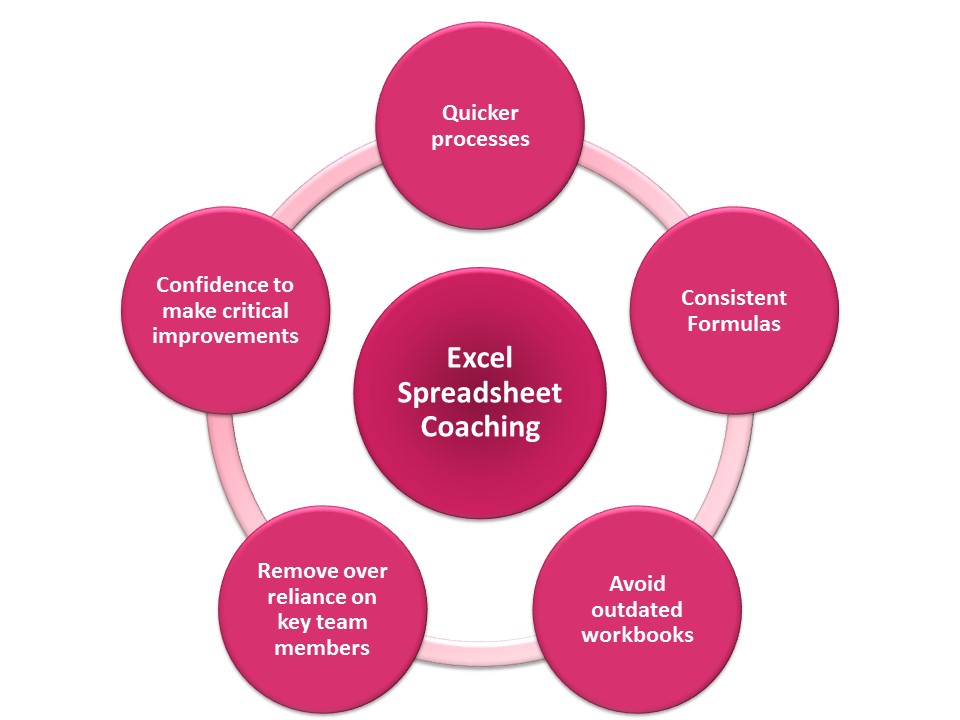
Quicker processes - Knowing the best ways to use Excel can speed up your processes – previous coaching clients have transformed their processes from taking whole days to a couple of hours.
Consistent Formulas - Complex data and reporting require a wide variety of solutions, if there are lots of exceptions then people often overwrite their formulas with hard coded numbers – causing multiple issues in future reporting. We will work with you to remove hardcoding and inconsistent formulas and improve your spreadsheets.
Avoid outdated workbooks - Often spreadsheets were set up for a specific reason but now used for more than originally intended, the spreadsheets are no longer fit for purpose and are often outdated using old methodology, which was correct at the time but no longer suitable. We will work with you to review the methodology applied in the files and ensure they are correct for the current process and easily adaptable for the future.
Remove over reliance on key team members - In some organisations there is an over-reliance on key team members who are the ‘Spreadsheet Experts’ of the team as they are the only ones who understand how the spreadsheets work. We will work together to ensure spreadsheets are easier to understand across the organisation.
Confidence to make critical improvements - Sometimes spreadsheets are working, so people are afraid to make changes even though those changes will have efficiency and accuracy improvements. We will work to make your spreadsheets more efficient and accurate without “breaking them”.
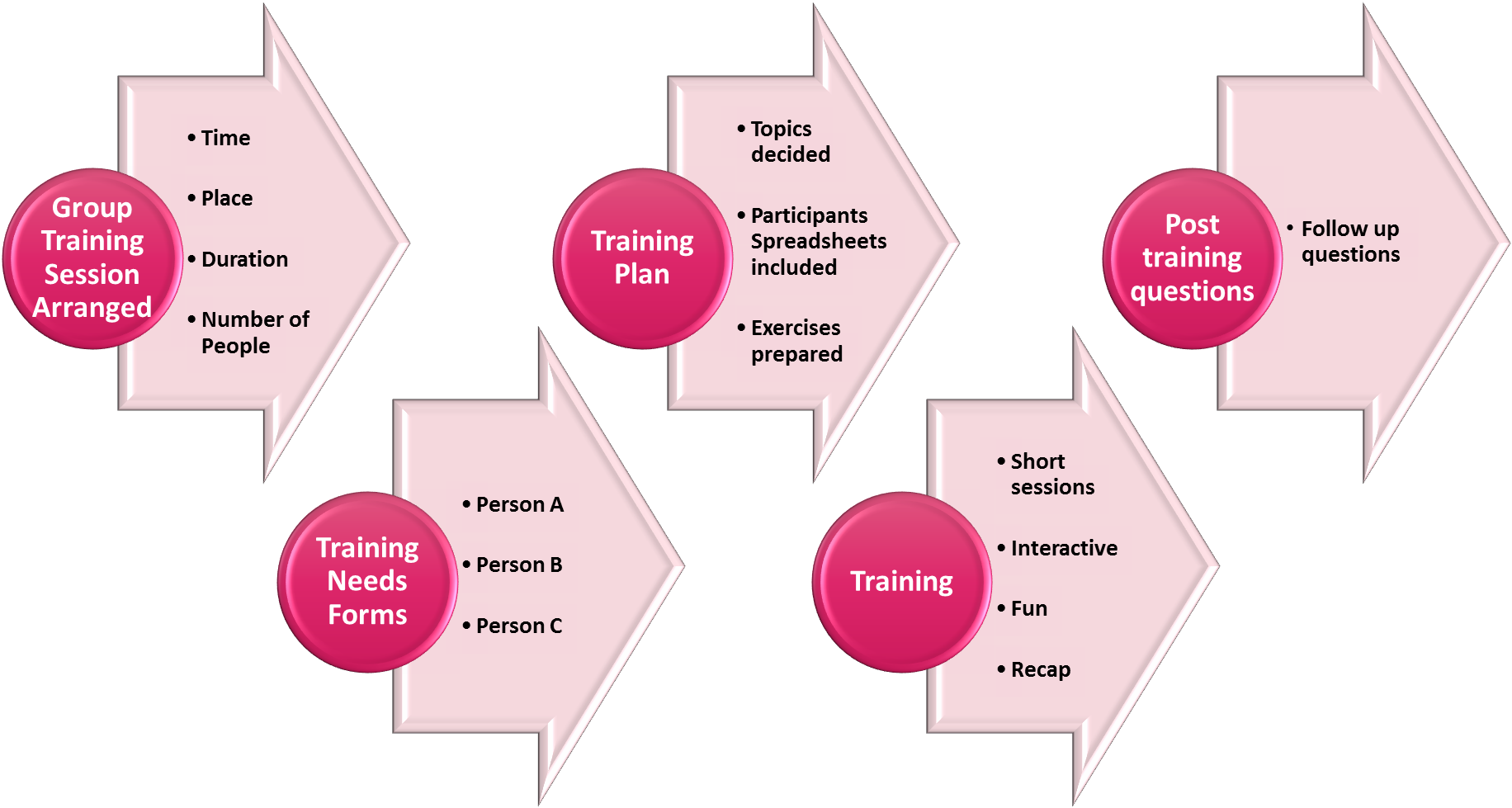
Suggested Topics - These are suggested spreadsheet topics, but each course is tailored to the people attending the training. Everyone will fill in a training needs form, and only the topics that you need training on will be covered during the training.
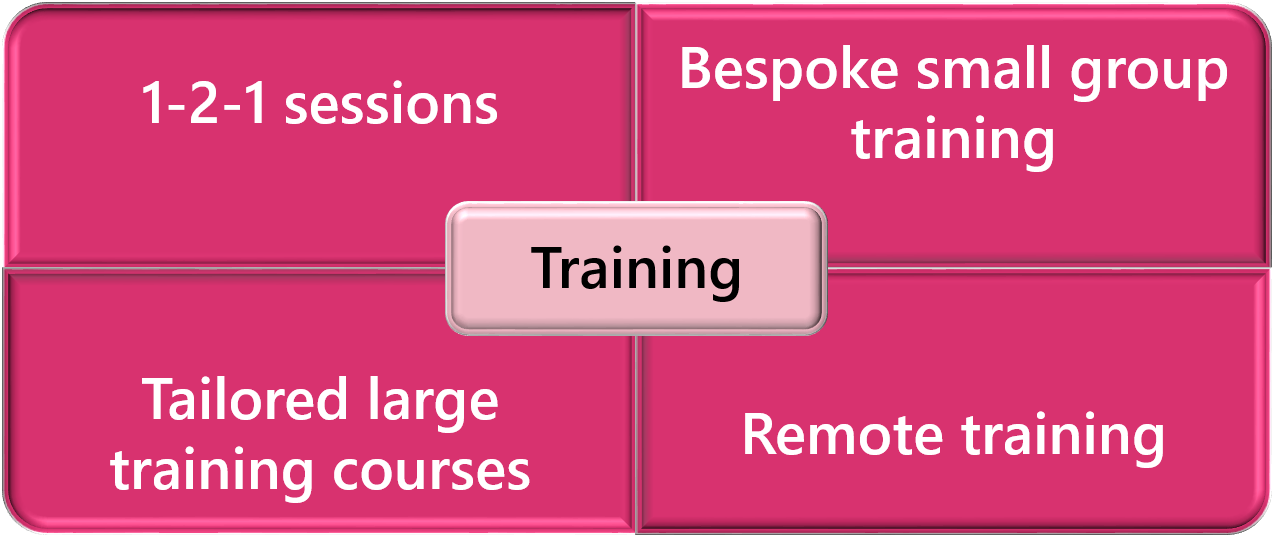
There are lots of different training courses available, 1-2-1, onsite/remote, small group sessions, large group courses or drop-in sessions. Excel training can take place in London, or the rest of the UK or remotely via Teams or Zoom.
Recent feedback from a Trader attending a 1-2-1 Microsoft Excel Training Course: "Gina’s techniques and thoughtful process have certainly enhanced my skills. Highly recommended for anyone looking to learn new techniques or just to refresh their knowledge of excel".
The Online Microsoft Excel Training Courses will also use your own spreadsheets, so any questions can be answered instantly and your spreadsheets will be improved. The trainer will also be available after the training for questions via phone or email.
- Formatting spreadsheets
- Insert and delete cells, rows, columns
- Adjust spreadsheet columns and row sizes
- Copy, move, insert, delete and customise worksheets
- Printing options
- Sort and filter information in your spreadsheets
- Split and freeze worksheets
- Formulas including xlookups, vlookups, hlookups, IF, SUMIF, Average, Autosum, Trim, Indirect and more
- Pivot tables
- Slicers and Timelines
- Pivot charts
- Charts
- Text to columns
- Group Columns / Rows
- Advanced Spreadsheet Formatting
- Sparklines
- What-if analysis
- Conditional Formatting
- Drop-down lists
- Power Query
- Power BI
- Spreadsheet Macros
- Excel tips, tricks and shortcuts
A Typical Group Microsoft Excel Training Course Process:
Training Courses available in:
Office 365
Microsoft Excel
PC or Mac
Online Excel Training Courses
In person Excel Training Courses London

"Gina is a great tutor, covering the basics as well as more advanced functionality. I would highly recommend her services to anyone wanting a refresher course to brush up on their Excel skills."
1-2-1 Course with a CEO
Meet Your Instructor, Gina Cohen
Microsoft Excel, Power BI, PowerPoint, Word, Outlook and Teams trainer with eleven years experience in the Finance department at Morgan Stanley. Has been teaching and consulting since 2013. Microsoft Training Classes in London or online.